How to make a private story on Snapchat
The short answer
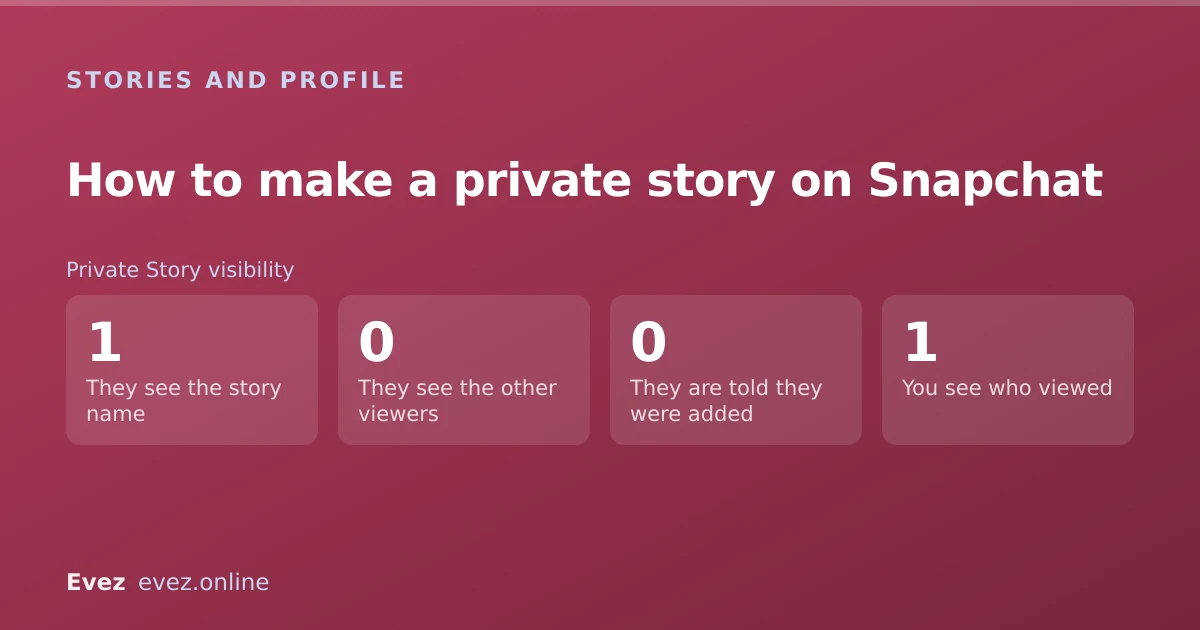
On the Stories screen tap New Story, choose Private Story, pick your viewers and name it. Only those people see it, nobody is told they were added or removed, and you can edit the list any time.
Key takeaways
- Private Stories are invisible to anyone not on the list — they do not see it exists.
- Adding and removing people is silent. Nobody is notified either way.
- You can keep several Private Stories with different lists running at once.
- A Shared Story is different: others can post to it, and it can spread beyond your list.
On this page
Creating one
The full flow
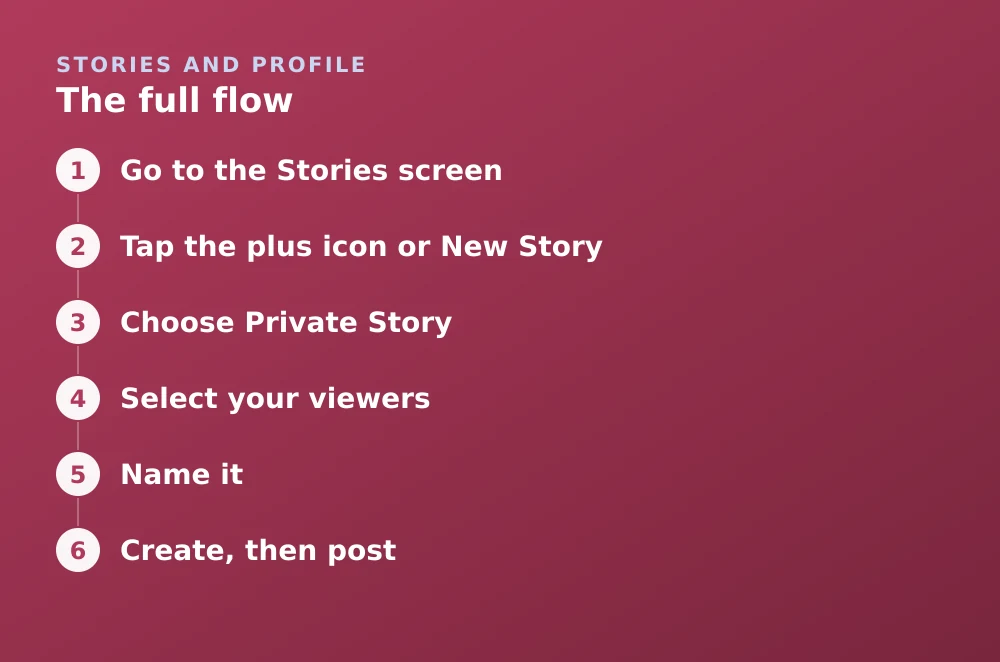
- Go to the Stories screenSwipe left twice from the Camera, or tap the Stories icon in the bottom bar.
- Tap the plus icon or New StoryIts position varies slightly by version; it is at the top of your own stories section.
- Choose Private StoryNot Shared Story — the difference matters and is covered below.
- Select your viewersTap each friend to add them. There is no practical limit for ordinary use.
- Name itThe name is visible to everyone on the list, so pick something you would be comfortable with all of them seeing.
- Create, then postThe story now appears as a posting destination alongside My Story whenever you send a snap.
Private, Custom and Shared — the differences
Most people reach for a Private Story just after posting something to everyone and immediately wishing they had not. Snapchat offers three things that all restrict an audience, and they behave differently in one crucial respect: who can add content, and whether the audience can grow without you.
| Type | Who can post | Audience can grow | Reusable |
|---|---|---|---|
| Private Story | Only you | Only if you add people | Yes — a persistent list |
| Custom audience on My Story | Only you | No | No — set per post |
| Shared Story | You and contributors | Yes — contributors can invite | Yes |
Editing the list
Adding or removing people later
- Go to the Stories screenFind your Private Story under your own stories.
- Press and hold itOr tap the three dots beside it, depending on version.
- Tap Edit StoryYou get the current viewer list.
- Tap names to add or removeNo notification is sent in either direction.
- SaveSomeone removed loses access to past posts on that story as well as future ones.
What people on the list can and cannot see
You get the same viewer information you would for a normal story, including replay and screenshot indicators — see reading the viewer list.
Practical uses beyond the obvious
- A close-friends list for posts you do not want going to every acquaintance.
- A family list, so relatives see the presentable version and not the rest.
- A work-safe list if colleagues have added you and you would rather they saw a narrower slice.
- A single-person story as a low-friction way of sending someone the same content repeatedly without a direct snap each time.
Limits to be aware of
- Only mutual friends can be added. Someone who has not added you back cannot be put on the list.
- Screenshots still work, and are flagged, but a second phone is undetectable, as covered in screenshot notifications.
- Posts still expire after 24 hours unless you save them to Memories.
- Deleting the story deletes the list, so recreate rather than delete if you want the audience back.
If you have been added to someone else's Private Story and want out, that is a different action — see leaving a private story.
Frequently asked questions
How do I create a private story on Snapchat?
Go to the Stories screen, tap the plus or New Story button, choose Private Story, select the friends who should see it, and give it a name. It then appears as a posting destination alongside My Story.
Do people know when you add them to a private story?
No. Adding and removing viewers is silent in both directions. Someone will only realise they are on the list when a post appears, and will not be told when they are removed.
Can people on my private story see who else is on it?
No. Viewers see the story name but not the list of other viewers. Only you can see who is on it.
What is the difference between a private story and a shared story?
Only you can post to a Private Story and only you control the list. A Shared Story lets contributors post and invite their own friends, so its audience can grow beyond the people you originally chose.
Sources
Every source below was checked and returned a valid response at the time of the last review. Each note says which claim in this guide it supports.
- How to Create a Private or Shared Story on Snapchat — Snapchat SupportSupports: The creation flow and the distinction between Private and Shared stories.
- How to Update a Shared Story on Snapchat — Snapchat SupportSupports: That Shared Story contributors can post and invite others, unlike a Private Story.
- How can I change who can see My Story on Snapchat? — Snapchat SupportSupports: The Custom audience option on My Story used in the comparison table.
Related guides
How to leave a private story on Snapchat
Remove yourself from someone else's Private Story, find out which ones you are on, and see whether the owner is told when you go.
Stories and profile · Updated
How to see who replayed your Snapchat story
The viewer list shows who watched and how many times. Here is how to read it, what the replay indicator does not tell you, and the ordering myth.
Stories and profile · Updated

Can you see who screenshotted your Snapchat story?
For a friends story, yes. For a Public Profile story, the answer changes. A precise table of which content notifies and which does not.
Stories and profile · Updated