What does followers mean on Snapchat?
The short answer
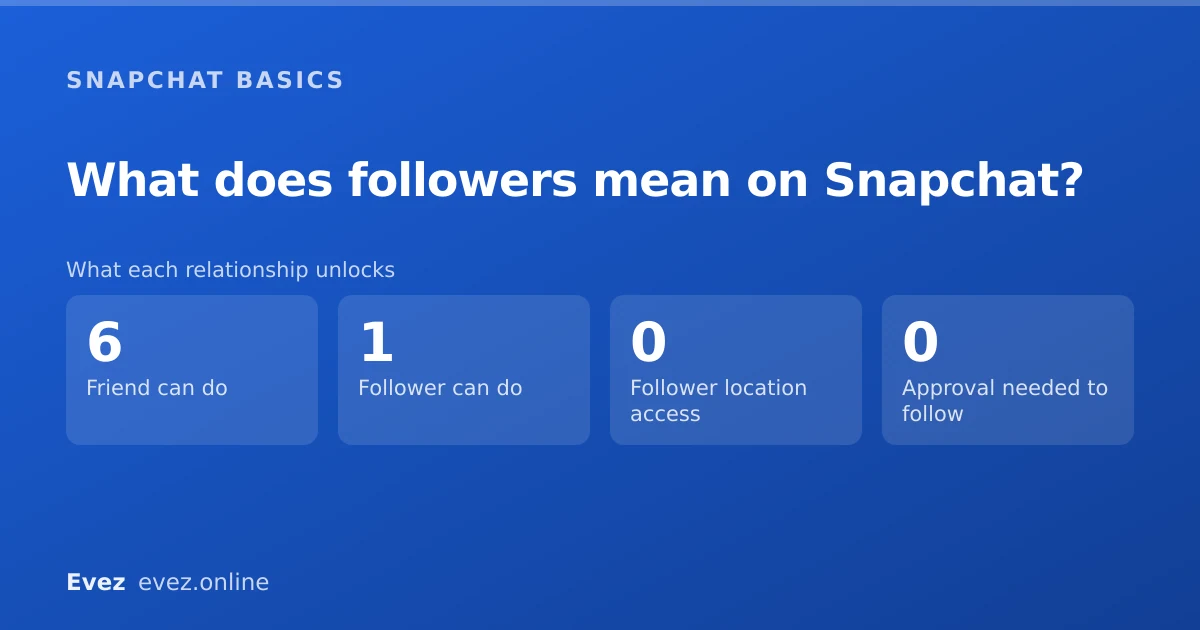
Followers subscribe to your Public Profile one way. Friends is mutual, and unlocks messaging, your friends-only story and Snap Map. Followers see only public posts, and the two counts will not match.
Key takeaways
- Following is one-directional; friendship is mutual. They are different relationships.
- You only have followers if you have enabled a Public Profile.
- Followers cannot see your location, your friends-only story, or message you by default.
- Removing a follower is possible but they are not prevented from following again unless you block them.
On this page
Two separate relationships
Snapchat began as a mutual-friends messenger with no concept of an audience at all. Public Profiles bolted a follower model on top years later, and the two systems now coexist without the app ever clearly explaining the difference. That is the source of nearly all the confusion, including why your two numbers refuse to match.
| Friend | Follower | |
|---|---|---|
| Direction | Mutual — you both added | One-way — they subscribed |
| Requires your approval | Yes | No |
| Sees your friends-only story | Yes | No |
| Sees your public story | Yes | Yes |
| Can message you | Yes | Only if Contact Me allows it |
| Can see you on Snap Map | If you share location | Never |
| Counts toward friend emoji | Yes | No |
| You see their content | Yes | No — following is not reciprocal |
Why you might have no followers at all
Followers only exist if you have turned on a Public Profile. Without one there is nothing to follow, and the number will not appear anywhere. Enabling it is free and available to any account.
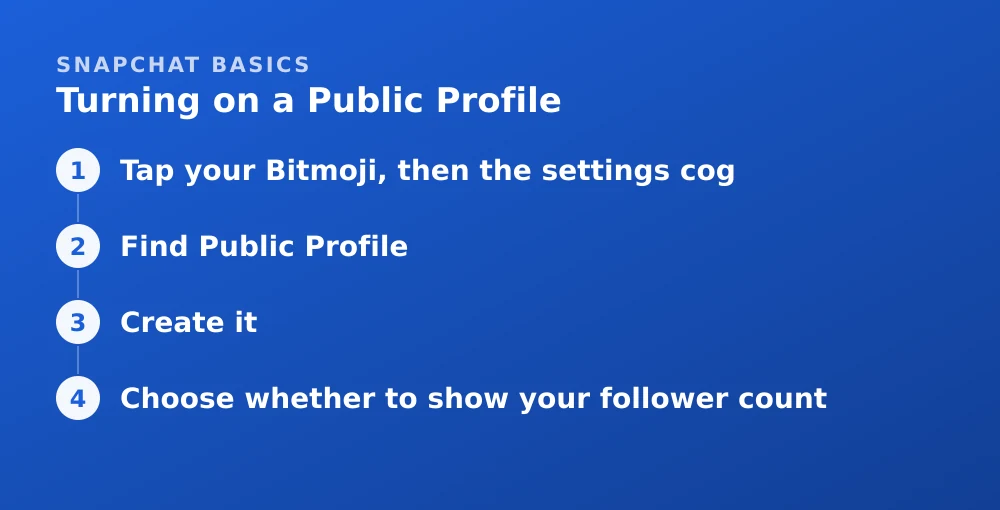
Turning on a Public Profile
- Tap your Bitmoji, then the settings cogOpens the settings list.
- Find Public ProfileUnder the account or Additional Services section.
- Create itYou choose a display name, bio and profile photo. Your username stays the same.
- Choose whether to show your follower countIt is a separate toggle — you can have a Public Profile without displaying the number.
Why the two numbers differ
People routinely expect their friend count and follower count to line up. They measure different things and there is no reason for them to match.
- Friends who never followed. Adding someone as a friend does not subscribe them to your Public Profile.
- Followers who are not friends. Anyone can follow; that does not add them.
- Removed friends who still follow. Removing a friend does not remove a follower.
- Snapchat does not display a full friend count prominently, so the follower number is often the only one people see.
Managing followers
You have less control here than on most platforms, and it is worth knowing the limits before you rely on them.
- Removing a follower is possible from your follower list, but does not stop them following again.
- Blocking is the only action that genuinely prevents someone following you.
- Hiding the follower count removes the number from your profile without affecting who can follow.
- Turning off the Public Profile removes followers entirely. It is the nuclear option and also removes your public presence.
What followers can see about you
Less than people assume. A follower relationship gives access to your public content and essentially nothing else.
| Thing | Visible to a follower? |
|---|---|
| Your public stories | Yes |
| Your Spotlight posts | Yes |
| Your display name, bio and photo | Yes |
| Your follower count | Only if you show it |
| Your friends-only story | No |
| Your friend list | No |
| Your location | No |
| Your Snapscore | No |
| Whether you looked at their profile | No — that is not tracked for anyone |
That last row applies universally, not just to followers — Snapchat has never had profile view tracking, as explained in whether profile views are visible.
For the aggregate audience data a Public Profile does give you, and why it never names individuals, see the same guide. If you are considering a Public Profile in order to get verified, the verification guide explains why that alone will not do it.
Frequently asked questions
What is the difference between friends and followers on Snapchat?
Friends is mutual — you both added each other, and unlocks messaging, your friends-only story and Snap Map. Following is one-directional and gives access only to your public content.
Can followers see my location on Snapchat?
No. Snap Map sharing applies only to mutual friends. No Public Profile setting lets a follower see your location.
Why is my follower count different from my friend count?
They measure different relationships. Friends do not automatically follow your Public Profile, followers are not automatically friends, and removing a friend does not remove them as a follower.
How do I remove a follower on Snapchat?
You can remove them from your follower list, but nothing stops them following again and they are not notified. Blocking is the only way to prevent someone following you permanently.
Sources
Every source below was checked and returned a valid response at the time of the last review. Each note says which claim in this guide it supports.
- What's the difference between followers and friends if I have a Public Profile? — Snapchat SupportSupports: The core distinction between the mutual friend relationship and one-directional following.
- How do I show my follower count on my Public Profile? — Snapchat SupportSupports: That displaying the follower count is a separate toggle from having a Public Profile.
- What features come with a Public Profile on Snapchat? — Snapchat SupportSupports: What a Public Profile enables and what followers can access.
Related guides

Can you see who viewed your Snapchat profile?
No. Snapchat has never built a profile visitor list. What the Public Profile insights do show, and why every profile-viewer app is a scam.
Stories and profile · Updated
How to get verified on Snapchat
The gold star is the Snap Star badge, and it is not something you can apply for casually. Realistic eligibility, and what Snapchat+ does not buy you.
Account management · Updated

How to use Snapchat
The five-screen layout, sending your first snap, what the timers mean, and the settings worth changing on day one.
Snapchat basics · Updated