How to log out of Snapchat
The short answer
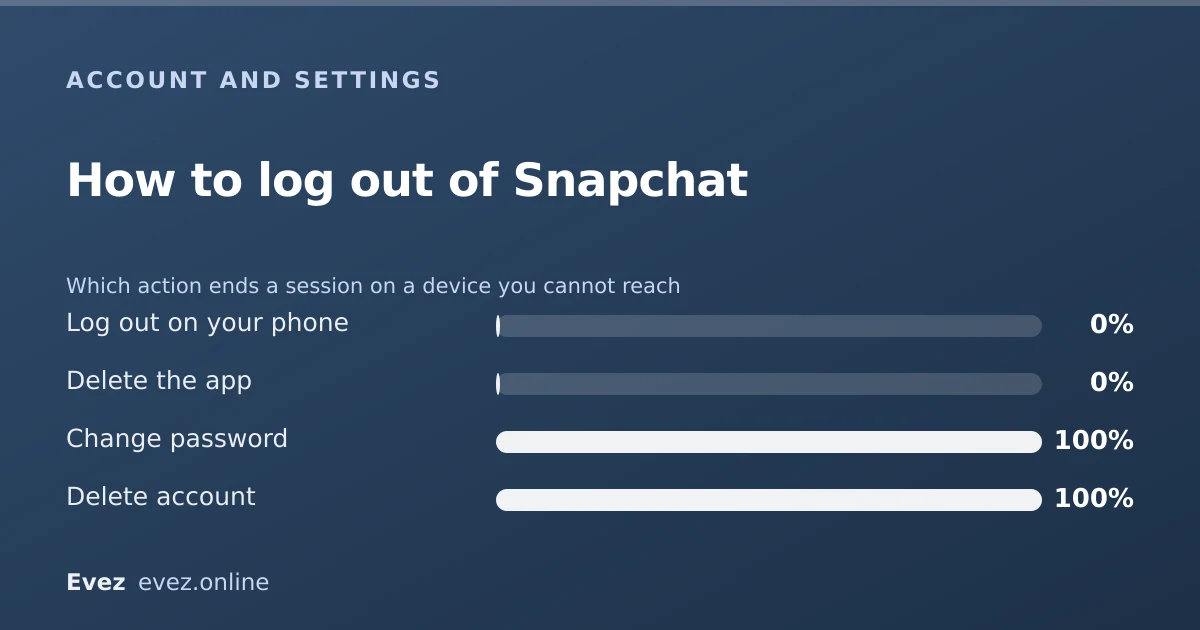
Tap your Bitmoji, open the settings cog, scroll right to the bottom and tap Log Out. Same place on Snapchat for Web. If the device is lost, change your password instead: that ends every session.
Key takeaways
- The Log Out button is at the very bottom of the settings list, below everything else.
- Logging out does not delete anything. Your account, Memories and friends are untouched.
- Changing your password is the fastest way to sign out a device you no longer have.
- Unexpected logouts are usually a password change, a new-device login, or a security flag, not a bug.
On this page
On your phone
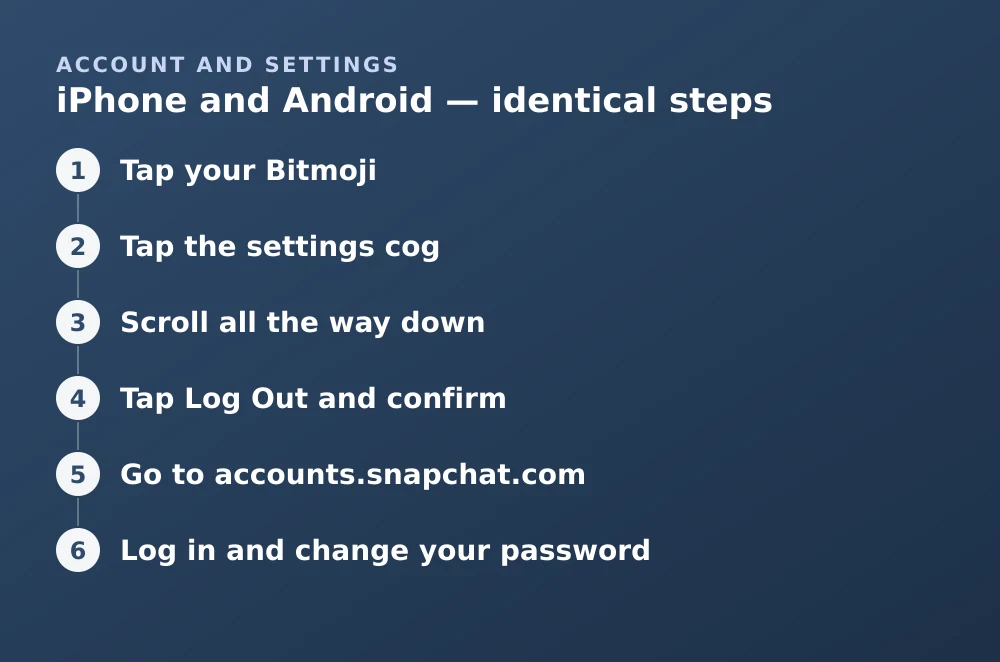
iPhone and Android — identical steps
- Tap your BitmojiTop-left corner of the Camera screen. This opens your profile.
- Tap the settings cogTop-right corner of the profile screen.
- Scroll all the way downPast every settings section. Log Out is the last item, which is why people miss it.
- Tap Log Out and confirmYou are returned to the login screen. Nothing is deleted.
On the web
Logging out would be obvious if the button were anywhere sensible, and it is not: it sits at the very bottom of a long settings list. Snapchat for Web works the same way, so click your Bitmoji, open settings, and choose Log Out. Closing the browser tab does not sign you out, and that session persists, which matters a great deal on a shared or public computer.
Signing out a device you do not have
This is the case that actually matters — a lost phone, an old tablet you sold, a friend's device you logged into once. Snapchat does not offer a per-device sign-out list the way Google and Facebook do. The blunt instrument is the only instrument.
Ending every session at once
- Go to accounts.snapchat.comFrom any browser you trust.
- Log in and change your passwordChoose something you have not used elsewhere.
- Every other session is endedAll devices are signed out and must log in again with the new password.
- Turn on two-factor authenticationSettings → Two-Factor Authentication. This is the step that stops it happening again.
If you cannot get into the account to change the password, that is a recovery problem rather than a logout problem — the support routes guide covers it.
Why Snapchat logs you out on its own
Being signed out unexpectedly is alarming and usually mundane. In rough order of frequency:
| Cause | What to do |
|---|---|
| Password changed on another device | Log in with the new password |
| Login from a new device or country | Verify it was you; change the password if not |
| App update or reinstall | Log in again — normal behaviour |
| Third-party or modified Snapchat app detected | Uninstall it; these get accounts locked |
| Suspected compromise flagged by Snap | Change the password and enable two-factor |
| Account locked for guidelines | Appeal — see the support guide |
Logging out is not a break
Signing out leaves the account fully live. People can still message you, your stories stay up until they expire, and your Bitmoji stays on the Map for the usual few hours. If the goal is to be unreachable rather than merely signed out, that is a different action — see deactivating temporarily.
And if you want to stay signed in but stop being findable, Ghost Mode and the privacy settings do that without touching your session at all.
Frequently asked questions
Where is the log out button on Snapchat?
At the very bottom of the settings list. Tap your Bitmoji, tap the settings cog, then scroll past every section — Log Out is the last item on the page.
Does logging out of Snapchat delete my data?
No. Logging out ends the session on that device only. Your account, Memories, friends, streaks and settings are all untouched and return when you log back in.
How do I log out of Snapchat on a lost phone?
Change your password at accounts.snapchat.com. Snapchat has no per-device sign-out list, so a password change is the only way to end sessions on a device you cannot reach.
Why does Snapchat keep logging me out?
Most often a password change elsewhere, a login from a new device, or a reinstall. Persistent logouts frequently point to a third-party or modified Snapchat app, which Snapchat detects and treats as a terms violation.
Sources
Every source below was checked and returned a valid response at the time of the last review. Each note says which claim in this guide it supports.
- I get an error message logging in to Snapchat — Snapchat SupportSupports: The listed causes of unexpected logouts, including third-party app detection.
- My Snapchat account is locked — Snapchat SupportSupports: That modified or third-party Snapchat clients lead to account locks after repeated logouts.
- I can't log in to profile.snapchat.com — Snapchat SupportSupports: The web accounts portal being the route for password changes that end all sessions.
Related guides
Can you deactivate Snapchat temporarily?
Yes, but not with a dedicated button. Deactivation is the first thirty days of the deletion process — here is what that means in practice.
Account management · Updated
How to contact Snapchat support (and actually get a reply)
The working support routes ranked by response rate, what to include in a ticket, and the appeal path for a locked account.
Account management · Updated
Snapchat Ghost Mode and turning your location off
Three different settings all look like turning location off on Snapchat. Only one of them actually stops your phone reporting where you are.
Privacy and location · Updated