Can you deactivate Snapchat temporarily?
The short answer
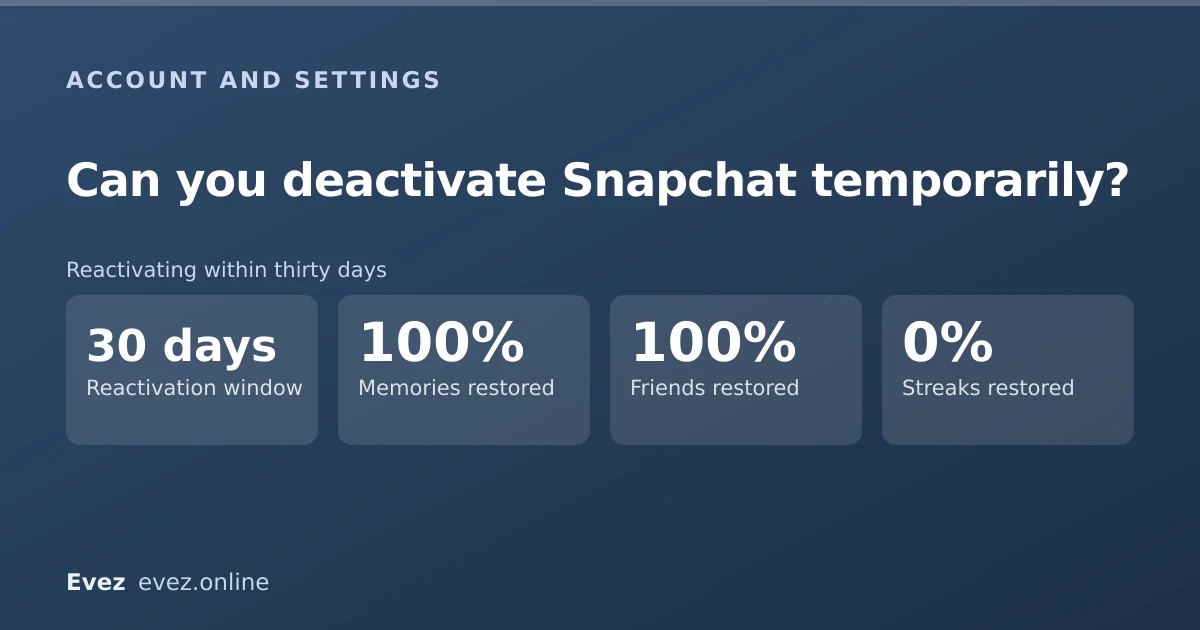
Yes, but there is no deactivate button. You start account deletion, which deactivates immediately and only erases after thirty days. Log back in within that window and everything comes back.
Key takeaways
- Deactivation and deletion are the same flow. The first thirty days are the deactivation.
- Reactivating is simply logging in — no form, no support ticket.
- Your friends cannot find you, message you, or see your stories while deactivated.
- Streaks lapse and are not restored. Memories survive if you reactivate in time.
On this page
Why there is no deactivate button
You want a break, not an ending, and Instagram has trained everyone to expect a temporary disable. Snapchat never built a separate control for it. What it has instead is a thirty-day grace period inside the delete flow, and that grace period works as a deactivation whether or not you ever intend to finish the job.
The practical effect is the same as a temporary disable. The difference is the deadline: Instagram will hold a disabled account indefinitely, whereas Snapchat starts a clock the moment you submit the form.
How to deactivate
The same flow as deletion, stopped short
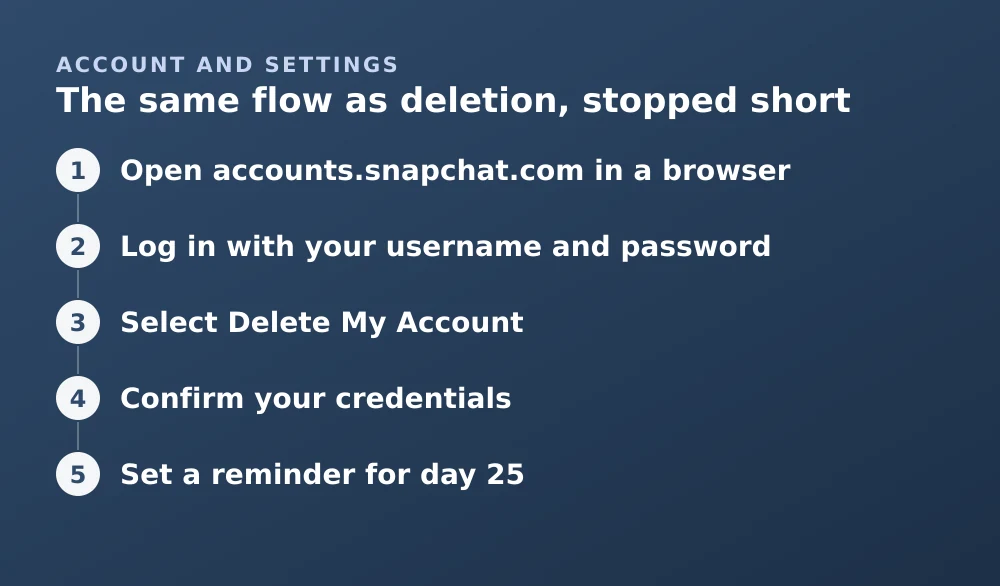
- Open accounts.snapchat.com in a browserThe option does not exist inside the app.
- Log in with your username and passwordPlus a two-factor code if you have it enabled.
- Select Delete My AccountDespite the wording, this is the deactivation route.
- Confirm your credentialsThe account deactivates as soon as you submit.
- Set a reminder for day 25Snapchat does not warn you before the window closes. This is the step people skip and regret.
The full flow, including what is permanently erased at the end, is covered in the account deletion guide.
What your friends see
| Thing | What happens |
|---|---|
| Your name in their friend list | Disappears |
| Searching for your username | No result |
| Existing chat thread with you | Remains, but messages cannot be sent |
| Your Bitmoji on Snap Map | Gone |
| Your stories | Not visible |
| A notification that you left | None — Snapchat says nothing |
What survives and what does not
- Restored: your friend list, saved chats, Memories, username, Bitmoji, settings and subscriptions.
- Not restored: streaks. They depend on daily exchanges and a deactivated account cannot exchange anything.
- Unaffected either way: any snap someone else saved into their own chat. That copy is on their account.
How to reactivate
There is no form. Open the app or the web login, enter your username and password, and the account comes back. It can take up to twenty-four hours for everything — particularly Memories — to finish loading, so an initially empty-looking account is not a reason to panic.
Alternatives that might suit you better
A full deactivation is a heavy tool for what is often a lighter problem. Three smaller options:
- Log out on your phone. The account stays live but you cannot open it without re-entering credentials, which is enough friction for most digital-break purposes. See signing out.
- Turn off notifications and remove the app. Your account remains active and streaks continue if someone else keeps them, but the app is gone from your day.
- Go Ghost and mute conversations. If the issue is being findable rather than the app itself, Ghost Mode plus muted chats solves it without touching the account.
If the reason for the break is that someone is bothering you, deactivation hides you but does not address them. Blocking and reporting is the more direct route, and Snapchat's support channels handle harassment reports separately from general enquiries.
Frequently asked questions
Is there a way to deactivate Snapchat without deleting it?
Not as a separate option. Starting the deletion deactivates the account for thirty days, and logging in during that period restores it fully. That grace period is Snapchat's only temporary deactivation.
How do I reactivate my Snapchat account?
Log in with your username and password within thirty days of deactivating. No form or support request is needed. Memories and other content can take up to a day to finish reloading.
Do I lose my streaks if I deactivate?
Yes. Streaks require a daily exchange and a deactivated account cannot send or receive snaps, so they lapse. Reactivating restores your friends and content but not the streaks.
Can my friends still message me while I am deactivated?
No. Your account disappears from their friend lists and searches, and messages cannot be delivered. They are not told why, so it looks the same as a permanent deletion from their side.
Sources
Every source below was checked and returned a valid response at the time of the last review. Each note says which claim in this guide it supports.
- How do I deactivate or delete my Snapchat account? — Snapchat SupportSupports: That deactivation and deletion share one flow, and that logging in within thirty days reactivates.
- I get an error message logging in to Snapchat — Snapchat SupportSupports: Login troubleshooting relevant to reactivating an account that will not open.
- Snap Inc. Terms of Service — Snap Inc.Supports: Snap's stated position on account termination and what happens to content afterwards.
Related guides
How to delete your Snapchat account
The accounts portal is the only route. What the thirty-day window does, what gets erased, what is retained, and the export checklist to run first.
Account management · Updated
How to log out of Snapchat
Signing out on iPhone, Android and the web, removing a device you no longer have, and why Snapchat logs you out without warning.
Account management · Updated
Snapchat Ghost Mode and turning your location off
Three different settings all look like turning location off on Snapchat. Only one of them actually stops your phone reporting where you are.
Privacy and location · Updated