How to recover deleted Snapchat Memories
The short answer
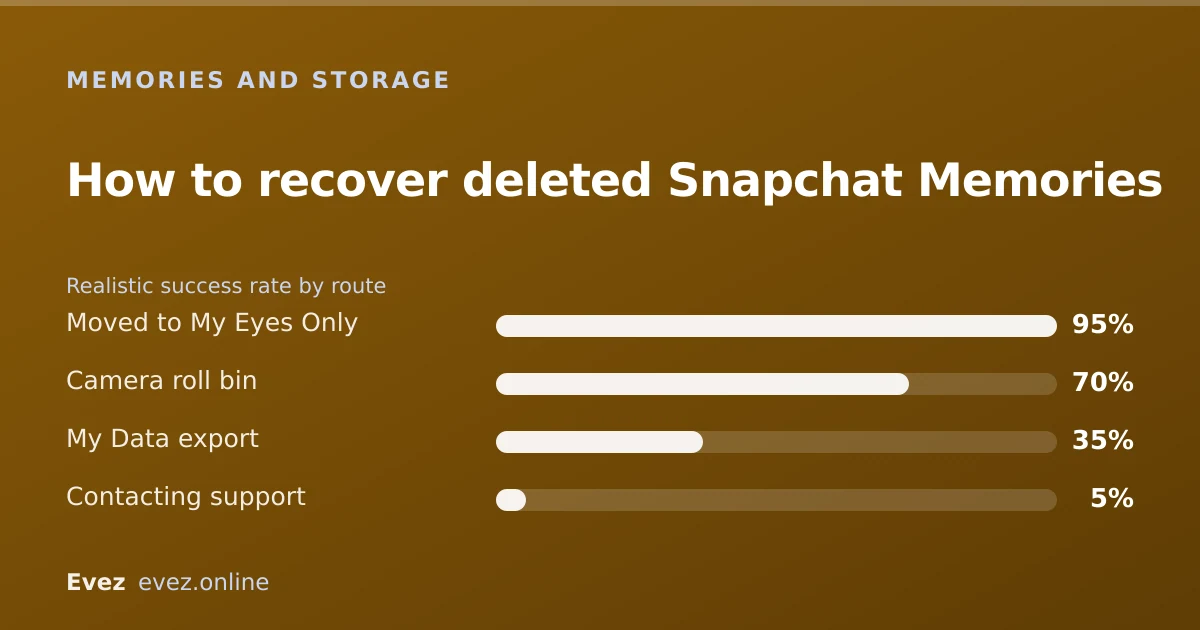
Sometimes. Three routes are worth trying: a recently-deleted state, a My Data export, or a device backup. If none of them apply, the Memory is gone, and no third-party app changes that.
Key takeaways
- Act quickly: every route that works depends on how recently it happened.
- A My Data export sometimes contains items you have already deleted from the app.
- Device backups only help if the Memory was also saved to your camera roll.
- No third-party recovery app can reach Snapchat's servers. They cannot work.
On this page
First, work out what actually happened
This is a search people make in a hurry, usually right after noticing something is missing. My Memories are gone covers four quite different situations with four different answers, and working out which one you are in takes a minute and saves you from trying fixes that could not possibly have helped.
| Symptom | Likely cause | Fix |
|---|---|---|
| Thumbnails spinning, grid visible | Loading failure, not deletion | Clear cache; content is fine |
| Memories tab empty after a reinstall | Not finished syncing | Wait; sign in on Wi-Fi |
| Specific items missing, rest present | Deleted, by you or from a shared device | Routes below |
| Everything gone after account issue | Account state, not Memories | Resolve the account first |
Route 1: the recently deleted state
Snapchat does not present a Google Photos-style trash bin, and this is where a lot of misinformation lives. What does exist is a short server-side window in which recently removed content has not yet been purged. It is not exposed as a browsable folder you can restore from.
What to actually do
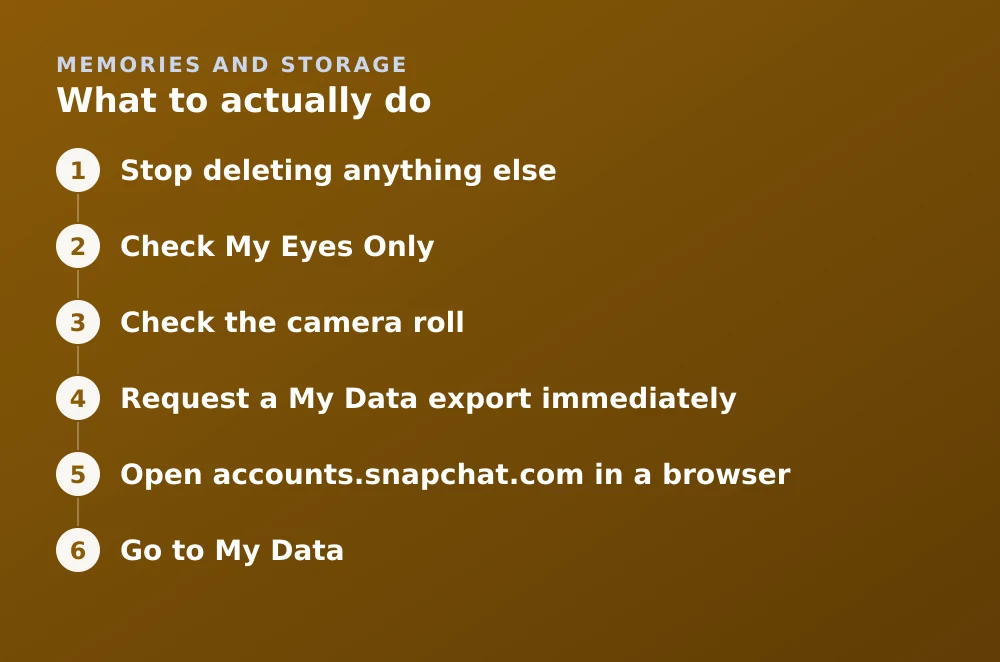
- Stop deleting anything elseFurther activity makes the situation harder to reason about, and in some cases accelerates cleanup.
- Check My Eyes OnlyItems moved there vanish from the main Memories grid entirely. This is the single most common false alarm — the content was moved, not deleted.
- Check the camera rollIf your save destination was Memories and Camera Roll, a local copy may still exist even though the Memory is gone.
- Request a My Data export immediatelyRoute 2. Do this the same day; it is time-sensitive.
Route 2: the My Data export
This is the route with the best odds and the one most people never try. Snapchat's data-portability export is generated from your account records, and it has sometimes included media that had already been removed from the app view, because the export and the app read different stores.
Requesting the export
- Open accounts.snapchat.com in a browserNot the app.
- Go to My DataSnapchat's GDPR-style data-portability tool.
- Explicitly include Memories mediaIt is a separate checkbox and is not on by default. Missing it is the usual reason an export arrives with no photos in it.
- Submit and check your emailA download link usually arrives within a day and expires after a short period.
- Download and search the archiveMedia sits in its own folder with a JSON index of dates. Search by date rather than scrolling.
Route 3: device backups
This only helps if the Memory was also saved to your phone. It restores your camera roll, not your Snapchat account, so it is useless for items that only ever lived in Memories.
- iPhone / iCloud Photos. Check Recently Deleted in the Photos app first. It holds items for 30 days and is far easier than a full restore.
- iCloud backup restore. Restores the whole device to a past state. Heavy-handed, and it overwrites anything newer.
- Google Photos. Check the bin, which holds items for 60 days if the photo was backed up.
- Android device backup. Coverage varies by manufacturer and is generally less reliable than the Google Photos bin.
Why recovery apps cannot work
This deserves stating plainly because the search results are dominated by them. A Memory lives on Snapchat's servers behind an authenticated API. An app on your phone has no access to that API, cannot authenticate as Snapchat's own client, and cannot read another app's sandboxed storage on modern iOS or Android.
There is no clever technique being withheld. The data is not on your device to recover, and the place it does live is unreachable. Apps claiming otherwise are collecting subscription payments, harvesting logins, or both, and entering your credentials into one is how accounts get locked, as covered in the unexpected-logout guide.
Making this the last time
Every route above is a lottery. The arrangement that removes the lottery is boring and takes ten minutes: keep Memories synced to your account, set the save destination to include your camera roll so a second copy exists, and run a My Data export once or twice a year.
Given that Memories storage is now a limited and partly paid resource, having your own copy has gone from good practice to the sensible default.
Frequently asked questions
Is there a recently deleted folder in Snapchat Memories?
Not as a browsable folder you can restore from. There is a short server-side window before removed content is purged, but Snapchat does not expose it in the app the way Photos or Google Photos does.
Can Snapchat support restore my deleted Memories?
Very rarely. Support does not have a general restore tool for deleted Memories, and requests of this kind are usually declined. The My Data export is a better use of your time.
Do Snapchat recovery apps work?
No. Memories live on Snapchat's servers behind an authenticated API that no third-party app can reach, and app storage is sandboxed on modern iOS and Android. These apps exist to take payment or harvest logins.
I forgot my My Eyes Only passcode — can I get that content back?
No. The passcode is part of how that content is protected and Snapchat cannot reset it. Content in My Eyes Only behind a forgotten passcode is permanently inaccessible.
Sources
Every source below was checked and returned a valid response at the time of the last review. Each note says which claim in this guide it supports.
- My Snapchat Memories are missing — Snapchat SupportSupports: Snapchat's own troubleshooting order and the distinction between missing and not-loading Memories.
- How do I download my data from Snapchat? — Snapchat SupportSupports: The My Data export route and the separate checkbox required to include Memories media.
- My Snapchat Memories won't load — Snapchat SupportSupports: That stuck thumbnails are a loading fault rather than deletion, and clearing cache is the fix.
Related guides

Is Snapchat deleting Memories?
Snapchat introduced a storage limit on Memories with paid tiers above it. What that means for existing archives, and how to export everything first.
Memories and storage · Updated

What does clearing cache do on Snapchat?
Clearing cache deletes downloaded copies of lenses, stickers and viewed media. It does not delete your Memories, chats, streaks or account.
Memories and storage · Updated

How to log out of Snapchat
Signing out on iPhone, Android and the web, removing a device you no longer have, and why Snapchat logs you out without warning.
Account management · Updated