What does clearing cache do on Snapchat?
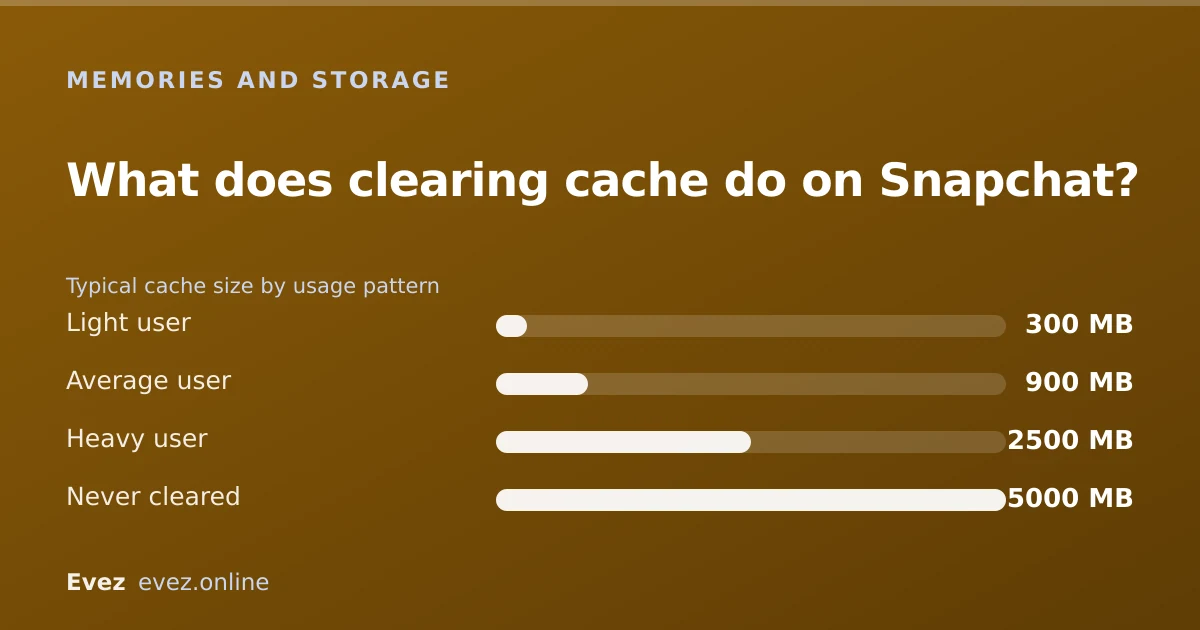
The short answer
It deletes temporary files: lens assets, stickers, map tiles, recently viewed media. All of it re-downloads. It cannot touch Memories, chats, friends or streaks, and usually frees a few hundred MB.
Key takeaways
- Cache is disposable. Nothing in it is unique to you and nothing is lost permanently.
- Memories, saved chats, streaks and friends are all unaffected.
- The app will be briefly slower afterwards while it re-downloads what it needs.
- Clearing cache is not the same as Clear Data, which does delete things.
On this page
What is in the cache
Clearing cache sounds like the sort of thing that quietly deletes something you care about, which is why people avoid it and let the app balloon instead. Snapchat downloads a great deal in the background so it feels instant: lenses have to be on your phone before you can use them, map tiles have to be there before the Map draws, and a story you watched is kept for a while in case you watch it again. All of that is cache, meaning local copies of things that exist elsewhere.
Because the originals live on Snapchat's servers, deleting your local copies loses nothing. The app fetches them again the next time it needs them. That is the entire mechanism, and it is why the answer to "is it safe?" is an unqualified yes.
| Item | Removed by clearing cache? |
|---|---|
| Lens and filter assets | Yes — re-downloaded on use |
| Stickers and Bitmoji assets | Yes — re-downloaded |
| Map tiles | Yes — redrawn |
| Recently viewed stories and snaps | Yes — they were temporary anyway |
| Search history entries | Yes |
| Memories | No |
| Saved chats | No |
| Friends and streaks | No |
| Your login | No — you stay signed in |
How to clear it
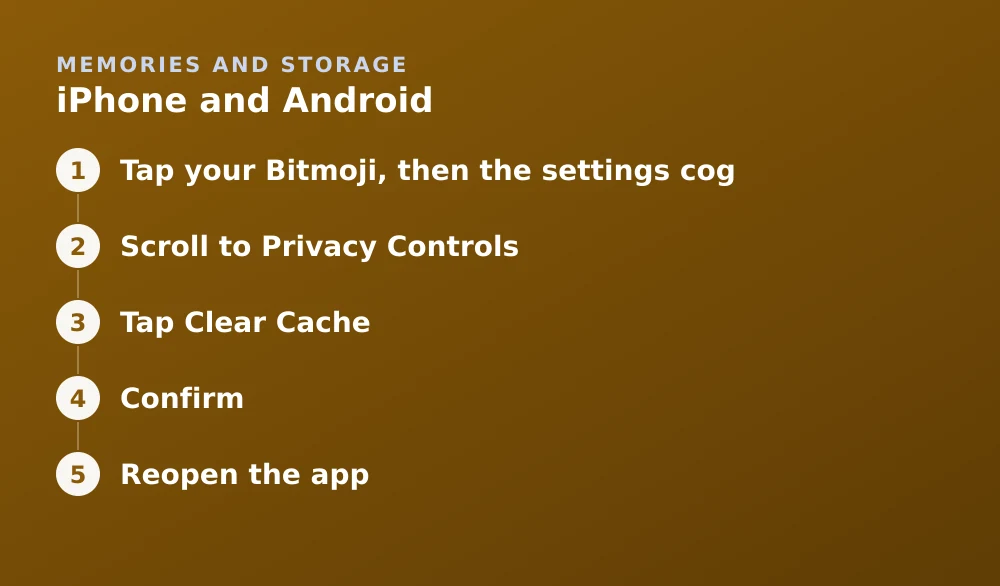
iPhone and Android
- Tap your Bitmoji, then the settings cogThis opens the main settings list.
- Scroll to Privacy ControlsThen tap Clear Data.
- Tap Clear CacheIt is the first option in the list and is separate from the more destructive options below it.
- ConfirmOn Android you may see a per-category breakdown with individual clear buttons plus a Clear All. Either works.
- Reopen the appIt will be noticeably slower for the first minute or two while it re-downloads assets. This is expected.
How much space it frees
If the cache is not the largest part of Snapchat's footprint on your phone, the rest is app data and locally stored Memories — that split is explained in why Snapchat takes up so much storage.
When clearing cache actually helps
It is not a general-purpose fix, but there is a specific class of problems it genuinely solves: anything caused by a corrupted local file.
- Lenses failing to load or showing as grey placeholders.
- Memories thumbnails stuck on a loading spinner — the thumbnails are cached, the originals are not.
- The Map not drawing or showing blank tiles.
- Stories that will not open despite a working connection.
- The app feeling sluggish after months without a restart.
It will not fix login problems, will not restore anything deleted, and will not change what other people can see. If your Memories are missing rather than merely not loading, that is a different problem — see recovering deleted Memories.
How often is worth doing it
There is no maintenance benefit to a schedule. The cache is self-limiting and the app manages it. Clear it when you need the space or when you have one of the symptoms above, not monthly out of habit, because each clear costs you a slow first minute and some mobile data re-downloading what you just deleted.
If storage pressure is the real driver, exporting and pruning Memories moves far more than the cache ever will. That is covered in the Memories storage guide.
Frequently asked questions
Does clearing cache on Snapchat delete Memories?
No. Memories are stored in your account on Snapchat's servers, not in the local cache. Clearing cache removes only re-downloadable temporary files and cannot affect them.
Does clearing cache delete saved messages or streaks?
No. Saved chats, friends, streaks and your login all survive a cache clear. Only Clear Conversations, further down the same settings screen, deletes messages.
How much space does clearing Snapchat's cache free?
Typically a few hundred megabytes for light users and up to several gigabytes for heavy users who have never cleared it. Lens assets and watched video make up most of the volume.
Will clearing cache log me out of Snapchat?
No. Your session is not stored in the cache and you remain signed in. The app will simply be slower for a minute while it re-downloads assets.
Sources
Every source below was checked and returned a valid response at the time of the last review. Each note says which claim in this guide it supports.
- How do I clear my cache on Snapchat? — Snapchat SupportSupports: The settings path, and Snapchat's statement that clearing cache does not delete saved content.
- My Snapchat Memories won't load — Snapchat SupportSupports: That a cache clear is the recommended fix for Memories thumbnails stuck loading.
- If your iPhone or iPad storage is full — Apple SupportSupports: The distinction between app cache and app data that iOS reports in its storage breakdown.
Related guides

Why Snapchat takes up so much storage
Where the gigabytes actually go, and a numbered plan to get Snapchat back under a gigabyte without losing anything.
Memories and storage · Updated

Is Snapchat deleting Memories?
Snapchat introduced a storage limit on Memories with paid tiers above it. What that means for existing archives, and how to export everything first.
Memories and storage · Updated

How to recover deleted Snapchat Memories
The three routes that sometimes work — recently deleted, My Data export, device backups, and an honest account of when a Memory is simply gone.
Memories and storage · Updated