How to view old Snapchat stories
The short answer
Your own are in Memories, but only if auto-save was on when you posted. Turn it on under Settings, then Memories. Someone else's expired story is simply gone; there is no way to view it after 24 hours.
Key takeaways
- Auto-Save My Story is the setting that decides whether old stories exist at all.
- Saved stories live in Memories, not in a separate stories archive.
- A My Data export can surface older material that is not visible in the app.
- Nobody else's expired story can be retrieved, by you or by Snapchat.
On this page
Where your old stories are
This question splits cleanly in two, and the answer is very different depending which half you mean. Stories expire after 24 hours, and whether a copy survives depends entirely on one setting that was either on or off at the moment you posted. It cannot be applied after the fact.
Finding saved stories
- Open MemoriesSwipe up from the Camera screen, or tap the cards icon below the shutter.
- Check the Stories tabMemories has separate tabs for Snaps, Stories and Camera Roll. Stories collects auto-saved story posts.
- Scroll by dateMemories is chronological. For anything older than a few months, use the search rather than scrolling.
- Check My Eyes OnlyAnything you moved there is hidden from the main grid entirely — this is the most common reason a story appears missing.
Why some stories are missing
| Reason | Recoverable? |
|---|---|
| Auto-Save was off when you posted | No |
| You deleted it from Memories | Sometimes — see the recovery guide |
| It is in My Eyes Only | Yes — check there |
| You have not finished syncing after a reinstall | Yes — wait on Wi-Fi |
| Thumbnails not loading | Yes — clear cache; nothing is lost |
| Account was deleted and restored past 30 days | No |
The loading-failure row is worth checking before you assume anything is gone — clearing the cache fixes stuck Memories thumbnails routinely and cannot delete anything.
The My Data route for genuinely old material
Snapchat's data-portability export sometimes contains material the app no longer shows you, because the export is generated from account records rather than from the app's view. It is the best available option for anything from years back.
Requesting the archive
- Go to accounts.snapchat.comIn a browser — this is not available in the app.
- Open My DataSnapchat's GDPR-style export tool.
- Include Memories mediaA separate checkbox that is not ticked by default. Missing it is why exports arrive with no photos.
- Download promptlyThe emailed link expires. The archive includes a JSON index you can search by date.
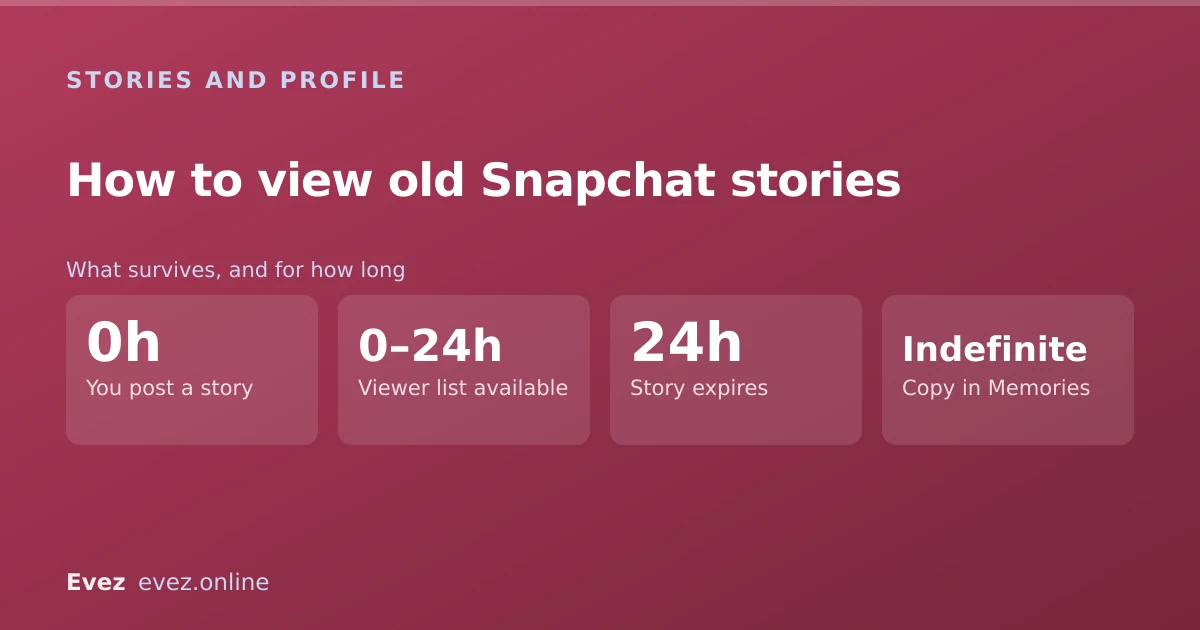
- 0hYou post a storyVisible to your chosen audience
- 0–24hViewer list availableWho watched, replayed, screenshotted
- 24hStory expiresGone from everyone's feed; viewer list lost
- IndefiniteCopy in MemoriesOnly if Auto-Save My Story was on

Someone else's old story
This has one answer and it is not the one people want. You cannot view another person's expired story. Not through a setting, not through support, not through an app.
- Snapchat does not offer it. There is no archive of other people's expired content available to you.
- Support cannot retrieve it. It is not a permissions problem they can override.
- Third-party viewers do not work. Expired content is not served to anyone; there is nothing to fetch.
- The only copy that exists is whatever the poster saved to their own Memories, which is theirs.
Making sure this does not happen again
- Turn on Auto-Save My Story. One setting, applies to everything you post from now on.
- Set the save destination to Memories & Camera Roll so a second copy lands on your phone — the route is in saving snaps to your camera roll.
- Run a My Data export once or twice a year. Ten minutes of attention, and it turns future versions of this problem into a file search.
- Remember the storage limit. Memories is no longer unlimited, so a local copy matters more than it used to.
For the viewer list specifically, which is not saved even when the story is — see who replayed your story.
Frequently asked questions
Where do old Snapchat stories go?
They expire after 24 hours and disappear. A copy survives in Memories only if Auto-Save My Story was enabled when you posted, under Settings → Memories.
Can I see someone else's old Snapchat story?
No. Once another person's story expires there is no way to view it, not through Snapchat, not through support, and not through any third-party app. Only the poster's own saved copy exists.
How do I turn on auto-save for my Snapchat stories?
Settings → Memories → Auto-Save My Story. It applies only to stories posted after you enable it and cannot recover anything that has already expired.
Does saving a story to Memories save who viewed it?
No. Only the content is saved. The viewer list, including replay and screenshot indicators, disappears when the story expires and is not preserved anywhere.
Sources
Every source below was checked and returned a valid response at the time of the last review. Each note says which claim in this guide it supports.
- How to Save My Story on Snapchat — Snapchat SupportSupports: The Auto-Save My Story setting and that saved stories are stored in Memories.
- How do I find Snaps that I saved to my Memories? — Snapchat SupportSupports: The Memories tab structure and how to locate saved stories within it.
- How do I download my data from Snapchat? — Snapchat SupportSupports: The My Data export route for older material not shown in the app.
Related guides

How to see who replayed your Snapchat story
The viewer list shows who watched and how many times. Here is how to read it, what the replay indicator does not tell you, and the ordering myth.
Stories and profile · Updated

How to save snaps to your camera roll
Change the default save destination, bulk-export your whole Memories archive, and stop Snapchat filling your phone when you don't want it to.
Memories and storage · Updated

Is Snapchat deleting Memories?
Snapchat introduced a storage limit on Memories with paid tiers above it. What that means for existing archives, and how to export everything first.
Memories and storage · Updated