Why Snapchat takes up so much storage
The short answer
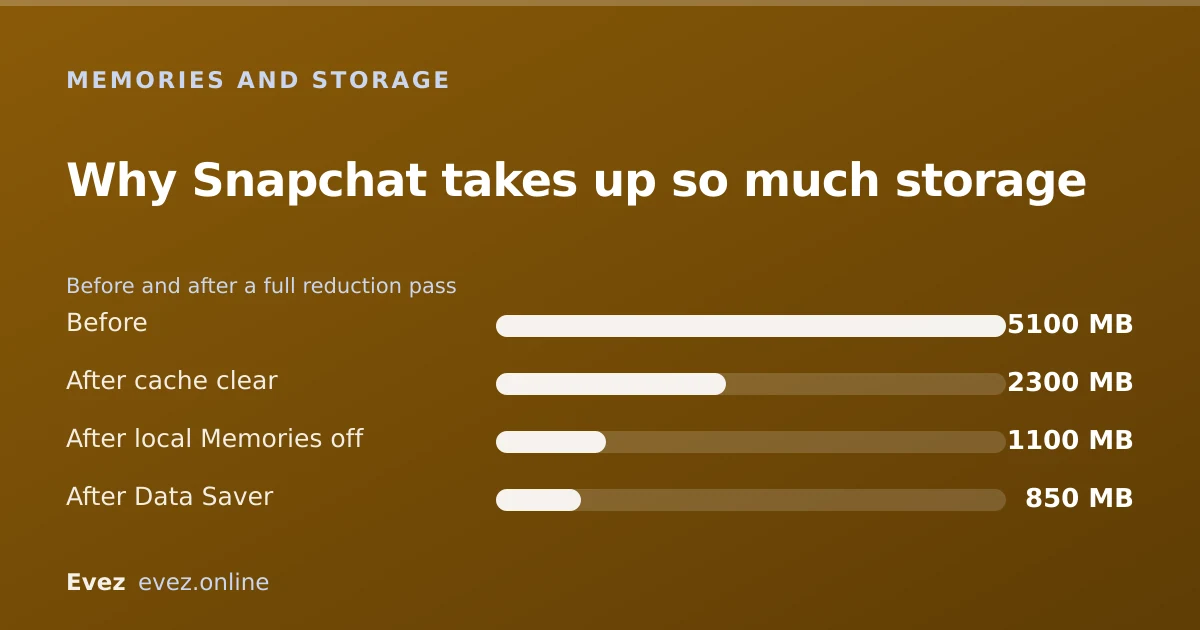
Three things: cached lens and sticker assets, local copies of Memories, and watched video not yet cleared. The app itself is small. Clearing cache and local Memories usually reclaims several gigabytes.
Key takeaways
- The app binary is small. Almost everything you see in the storage screen is downloaded content.
- Lens assets are the biggest single contributor for most people.
- Memories stored on the device duplicate what is already in your account.
- A full reduction pass takes about five minutes and loses nothing.
On this page
Where the space actually goes
Open your phone's storage screen and Snapchat is routinely in the top three, sometimes larger than every other app put together. That is startling for a messaging app, and it makes people assume something has gone wrong. Nothing has gone wrong. Snapchat is a media application behaving like one.
| Component | Typical share | Safe to remove? |
|---|---|---|
| Lens and filter assets | 35–45% | Yes — cache |
| Cached media you have viewed | 20–30% | Yes — cache |
| Memories stored on the device | 15–25% | Yes, if synced to your account |
| Stickers, Bitmoji, Map tiles | 5–10% | Yes — cache |
| The app itself | ~5% | No |
| Account data and settings | <1% | No |
Why lenses are so large
A lens is not a filter overlay. It is a small 3D application: meshes, textures, shaders, sometimes a machine-learning model for face or body tracking. Each one is a few megabytes. Snapchat pre-downloads the carousel so lenses open instantly rather than after a wait, and it keeps the ones you have used.
Use twenty lenses a week for a year and you have several gigabytes of 3D assets on your phone for filters you used once. That is the mechanism, and it is why cache is the first place to look.
The five-minute reduction plan
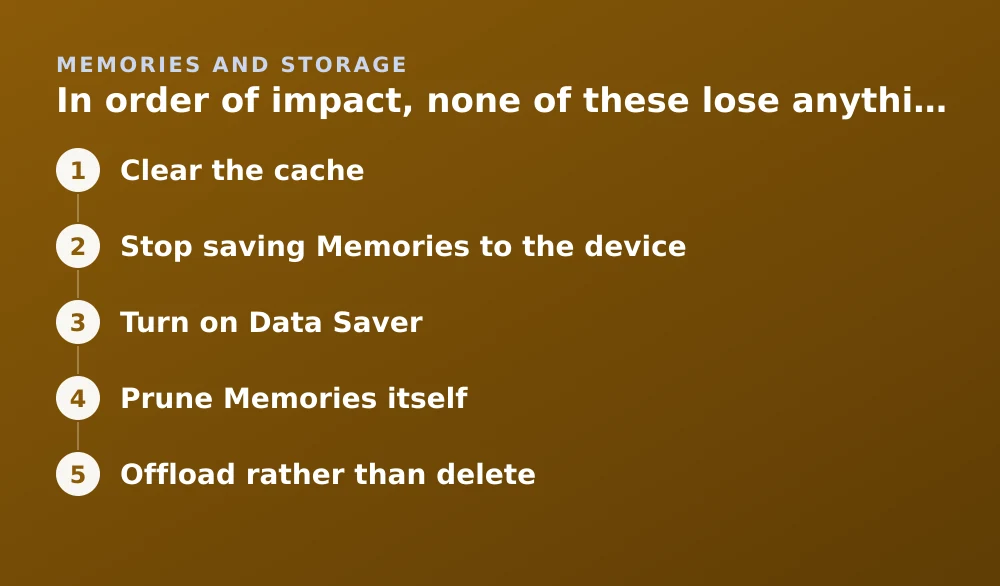
In order of impact, none of these lose anything
- Clear the cacheSettings → Privacy Controls → Clear Data → Clear Cache. This is the biggest single win and it is entirely safe — see exactly what it removes.
- Stop saving Memories to the deviceIn Memories settings, set the save destination to Memories only rather than Memories and Camera Roll. Local copies duplicate what is already in your account.
- Turn on Data SaverSettings → Data Saver. It stops Snapchat pre-loading media over mobile data, which reduces how fast the cache refills.
- Prune Memories itselfExport first, then delete. This is the only step that reduces what is stored in your account rather than on your phone — the route is in the Memories storage guide.
- Offload rather than deleteOn iPhone, Settings → General → iPhone Storage → Snapchat → Offload App removes the app but keeps its data. Reinstalling restores your setup without a fresh login.
What not to do
- Do not delete and reinstall to save space. It works, but you lose local Memories that were never synced, and you have to log in again. Offloading achieves the same thing without either cost.
- Do not use a third-party cleaner app. They cannot reach inside Snapchat's sandbox on modern iOS or Android, so at best they do nothing.
- Do not turn off Memories sync to save space. That protects nothing and creates a real risk — device-only content dies with the device.
- Do not clear cache daily. Everything you delete is re-downloaded, costing mobile data for no lasting benefit.
Why it grows back
It will. That is not a failure of the clean-up; it is the app working as designed. The rate depends almost entirely on how many lenses you use and how much Spotlight video you watch, which is why two people with identical phones can differ by four gigabytes.
If storage pressure is chronic, the durable fix is Data Saver plus not storing Memories locally. Those two settings change the rate of growth rather than resetting it, which is the difference between a fix and a chore.
If your Memories are not loading rather than merely taking up space, the fix is different: see missing and deleted Memories.
Frequently asked questions
Why is Snapchat using several gigabytes on my phone?
Mostly cached lens assets and watched media, plus local copies of Memories. The app itself is only a few hundred megabytes; the rest is downloaded content that Snapchat does not clear automatically.
Is it safe to clear Snapchat's storage?
Clearing cache is entirely safe and loses nothing. Avoid the Clear Data options further down that same screen, which delete conversations and other content rather than temporary files.
Will deleting Snapchat free up space without losing my account?
Your account and synced Memories are safe, but anything stored only on the device is lost. On iPhone, offloading the app frees the same space while keeping local data and your login.
Does Data Saver reduce Snapchat's storage use?
Indirectly. It stops the app pre-loading media over mobile data, which slows how quickly the cache refills after you clear it. It does not shrink what is already stored.
Sources
Every source below was checked and returned a valid response at the time of the last review. Each note says which claim in this guide it supports.
- How do I clear my cache on Snapchat? — Snapchat SupportSupports: The cache-clearing step and that it removes re-downloadable assets only.
- How do I use Snapchat in Data Saver mode — Snapchat SupportSupports: That Data Saver stops pre-loading media, slowing cache growth.
- If your iPhone or iPad storage is full — Apple SupportSupports: The Offload App behaviour that removes the binary while retaining app data.
Related guides

What does clearing cache do on Snapchat?
Clearing cache deletes downloaded copies of lenses, stickers and viewed media. It does not delete your Memories, chats, streaks or account.
Memories and storage · Updated

Is Snapchat deleting Memories?
Snapchat introduced a storage limit on Memories with paid tiers above it. What that means for existing archives, and how to export everything first.
Memories and storage · Updated

How to save snaps to your camera roll
Change the default save destination, bulk-export your whole Memories archive, and stop Snapchat filling your phone when you don't want it to.
Memories and storage · Updated