How to delete your Snapchat account
The short answer
Do it at accounts.snapchat.com, not in the app. The account deactivates straight away and is erased after thirty days. Logging in during that window cancels the deletion and restores everything.
Key takeaways
- There is no delete button inside the app. It is a web form in the accounts portal.
- Deletion is two-stage: deactivated at once, erased after thirty days.
- Memories are deleted with the account and are not recoverable afterwards — export first.
- Some records are retained past thirty days where law requires, so "deleted" is not absolute.
On this page
Run this checklist before you start
This is the one action here you genuinely cannot undo, though Snapchat gives you thirty days of grace before it becomes permanent. What people regret afterwards is almost never the account itself. It is the same three things every time, and all three take a few minutes to save.
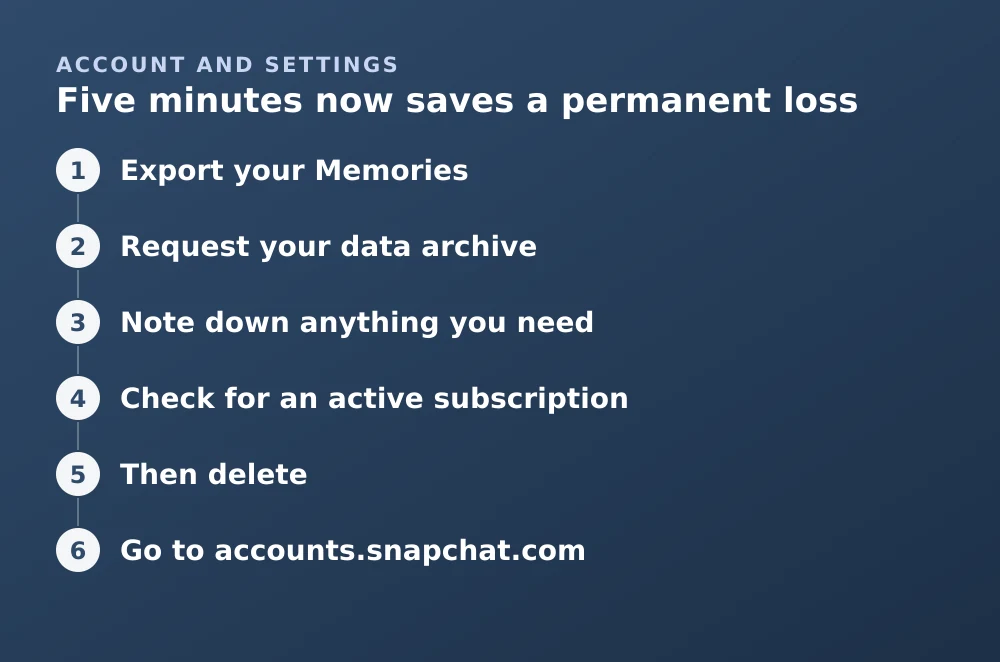
Five minutes now saves a permanent loss
- Export your MemoriesEverything in Memories goes with the account. See the Memories export guide for the bulk method.
- Request your data archiveSettings → My Data. It contains your chat history metadata, login records, and account details, and arrives as a download link.
- Note down anything you needUsernames of friends you only know through Snapchat, and any two-factor recovery codes.
- Check for an active subscriptionSnapchat+ or a Memories storage plan bills separately through the App Store or Play Store. Deleting the account does not cancel the subscription.
- Then deleteNot before.
The actual steps
Deleting the account
- Go to accounts.snapchat.comIn a browser. The delete flow is not in the mobile app, which is why people search for it.
- Log inUsername and password, plus a verification code if you have two-factor enabled.
- Choose Delete My AccountIt is a link on the account management page, not a prominent button.
- Re-enter your credentialsThe form asks you to confirm your username and password again.
- SubmitThe account is deactivated immediately. Friends can no longer find or message you.
You will not receive a countdown reminder before the thirty days elapse. If you are unsure, set your own reminder — reactivation after the window is not possible.
What happens over the thirty days
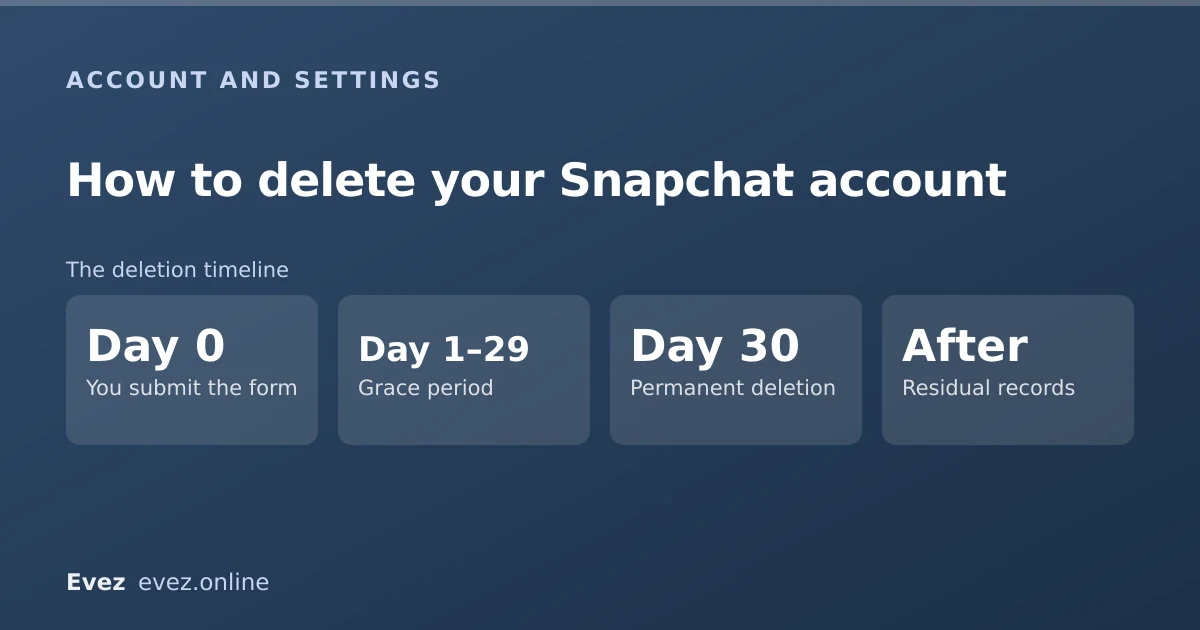
- Day 0You submit the formAccount deactivated immediately; you vanish from friends' lists
- Day 1–29Grace periodLogging in cancels deletion and restores everything
- Day 30Permanent deletionAccount, Memories and content are erased
- AfterResidual recordsLimited data retained where law requires
What is erased and what is not
| Item | Status | Notes |
|---|---|---|
| Your username | Released | But not reusable by you or anyone else in practice |
| Memories | Deleted | No recovery route exists afterwards |
| Saved chats | Deleted | Unsaved chats were already gone |
| Your snaps in other people's saved chats | Retained | Their copy is theirs |
| Spotlight submissions | Deleted | Public posts are removed with the account |
| Records required by law | Retained | Duration depends on jurisdiction and obligation |
| Active subscriptions | Unaffected | Cancel via App Store or Play Store separately |
If you only want a break
There is no separate deactivate option — the first thirty days of this process is the deactivation. If a temporary break is what you want, this same flow is the mechanism, and the temporary deactivation guide covers what friends see and what does not survive.
Problems that stop the deletion
- You cannot log in. The delete form needs working credentials. Reset the password first; if the account is locked, see the support routes.
- You do not have the phone number or email on the account. Recovery depends on one of them. Without either, support is the only route and success is not guaranteed.
- The account is locked for a guidelines violation. You may need the appeal resolved before the account is in a state you can delete.
- You are deleting to escape harassment. Deletion removes your account, not content others have saved. Reporting the behaviour first is usually the more effective step.
For a lighter-touch alternative, signing out on a device removes access without touching the account at all.
Frequently asked questions
Can I delete my Snapchat account from the app?
No. The delete flow lives in the web accounts portal at accounts.snapchat.com. There is no equivalent option inside the iOS or Android app, which is why the question is asked so often.
How long does it take for Snapchat to delete my account?
The account is deactivated immediately and permanently deleted after thirty days. Logging in at any point during those thirty days cancels the deletion and fully restores the account.
Do my Memories get deleted with my account?
Yes. Memories are part of the account and are erased at the end of the thirty-day window with no recovery route. Export them before you begin if you want to keep them.
Can I get my username back after deleting?
In practice, no. Snapchat does not offer a way to reclaim a username from a deleted account, and you should assume it is gone permanently.
Sources
Every source below was checked and returned a valid response at the time of the last review. Each note says which claim in this guide it supports.
- How do I deactivate or delete my Snapchat account? — Snapchat SupportSupports: The accounts-portal route, the thirty-day window, and that logging in cancels deletion.
- How do I download my data from Snapchat? — Snapchat SupportSupports: The My Data export step in the pre-deletion checklist.
- How do I cancel my subscription to Snapchat or Memories? — Snapchat SupportSupports: That subscriptions bill through the app store and are not cancelled by deleting the account.
Related guides
Can you deactivate Snapchat temporarily?
Yes, but not with a dedicated button. Deactivation is the first thirty days of the deletion process — here is what that means in practice.
Account management · Updated
Is Snapchat deleting Memories?
Snapchat introduced a storage limit on Memories with paid tiers above it. What that means for existing archives, and how to export everything first.
Memories and storage · Updated
How to contact Snapchat support (and actually get a reply)
The working support routes ranked by response rate, what to include in a ticket, and the appeal path for a locked account.
Account management · Updated