How to recover deleted Snapchat messages
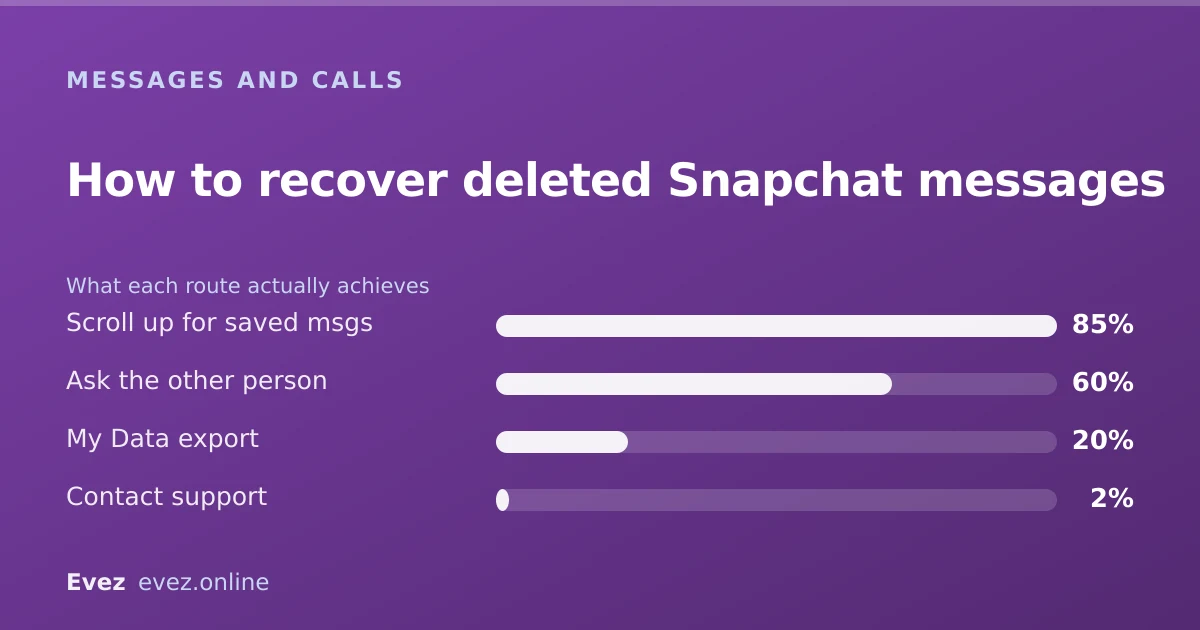
The short answer
Almost never. Snapchat deletes unsaved messages from its servers once they are opened or once the retention window passes, and offers no restore. Only a message someone explicitly saved survives.
Key takeaways
- Unsaved messages are genuinely gone. There is no bin, no restore, no support override.
- Saved messages persist — saving is the only thing that makes a message survive.
- A My Data export gives you your own records, though usually not message content.
- Every third-party recovery app is either useless or a credential harvester.
On this page
Start with what Snapchat keeps
The hard part first, because plenty of pages will not say it. Snapchat's whole design premise is that messages do not stick around. That is not a limitation bolted on later, it is the product, and understanding what gets kept and for how long answers the recovery question directly.
| Type | Kept on Snapchat's servers | Recoverable by you |
|---|---|---|
| Unsaved chat, opened | Deleted by default | No |
| Unsaved chat, unopened | Held for a limited period, then deleted | No |
| Saved chat message | Until unsaved by either party | Yes — it is still there |
| Snap, opened | Deleted | No |
| Snap, unopened | Held for a limited period | No |
| Snap saved to Memories | Stored in your account | Yes |
| Account metadata | Retained | Via My Data export |
Check the obvious things first
A meaningful share of "my messages were deleted" turns out to be something else. Two minutes of checking is worth it before you conclude anything is lost.
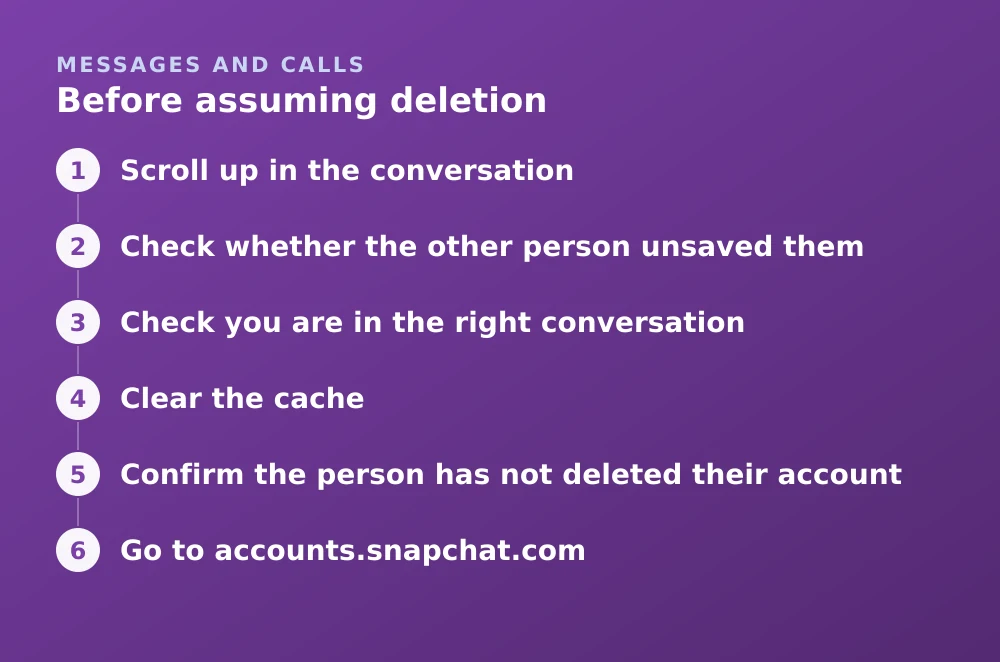
Before assuming deletion
- Scroll up in the conversationSaved messages remain but sit above the recent activity. In a busy chat they can be a long way up.
- Check whether the other person unsaved themEither side can unsave a message and it disappears for both. This is the most common cause of messages vanishing without you doing anything.
- Check you are in the right conversationGroup chats and one-to-one chats with the same person are separate threads.
- Clear the cacheA rendering failure can hide messages that are still there. Clearing cache is safe and cannot delete anything.
- Confirm the person has not deleted their accountTheir messages go with them.
The My Data export
This is the only legitimate recovery-adjacent step, and it is worth setting expectations properly: it usually returns records about your messages rather than the messages themselves.
Requesting it
- Go to accounts.snapchat.comNot the app.
- Open My DataSnapchat's data-portability tool, offered under GDPR and comparable laws.
- Submit the requestTick Memories media too if you want photos included — it is not on by default.
- Wait for the emailUsually within a day. The link expires, so download promptly.
- Read the chat history fileYou get timestamps, participants and message types. Not the text of unsaved messages, which no longer exists.
Why recovery apps cannot work
The search results for this query are dominated by data-recovery software promising to pull deleted Snapchat messages off your phone. The claim fails at three separate points, any one of which is fatal.
- The data is not on your device. Unsaved messages are not written to durable local storage in a recoverable form. There is nothing on the disk to undelete.
- App storage is sandboxed. On modern iOS and Android, one app cannot read another's private data. This is enforced by the operating system.
- Snapchat's servers are not accessible. No third party can query the private API, and the content has been deleted there anyway.
The legal-process exception
Snapchat does preserve and disclose data in response to valid legal requests — its transparency reporting documents this. That is not a route available to you as an individual, and it does not conjure content that was already deleted; it applies to data still held at the moment the request lands.
If your situation genuinely involves harassment, threats or a criminal matter, the route is law enforcement, who have a process for this. It is not a support ticket, and no consumer-facing option achieves it. The reporting routes are in the support guide.
Making messages survive next time
- Save the message. Press and hold, then Save in Chat. It stays until either of you unsaves it — the only durable option.
- Change the conversation retention setting. Chat settings let you keep messages after viewing rather than deleting them immediately.
- Screenshot anything important. Inelegant, notifies the other person, and works.
- Do not rely on Snapchat as a record. It is designed not to be one. For anything you may need later, use something that keeps messages by default.
The mechanics of saving and unsaving, including what the other person sees, are covered in unsaving messages.
Frequently asked questions
Can you recover deleted Snapchat messages?
Only if they were saved. Unsaved messages are deleted from Snapchat's servers once opened or once the retention window passes, and there is no restore function for them.
Does the My Data export include my deleted messages?
No. It returns account records — timestamps, participants and message types — rather than the content of messages that have already been deleted. That content no longer exists to export.
Why did my saved Snapchat messages disappear?
Most often because the other person unsaved them. Either party can unsave a message and it is removed for both sides, which is the usual explanation when messages vanish without you doing anything.
Can Snapchat support get my deleted messages back?
No. Support has no restore tool for deleted messages. Snapchat preserves data in response to valid legal requests, but that process is available to law enforcement rather than to individual users.
Sources
Every source below was checked and returned a valid response at the time of the last review. Each note says which claim in this guide it supports.
- How long will Snap media be stored on Snap's servers after I delete it from Chat? — Snapchat SupportSupports: The retention behaviour described in the table for opened and unopened content.
- How do I download my data from Snapchat? — Snapchat SupportSupports: The My Data export route and what the archive contains.
- Snap Transparency Report — Snap Inc.Supports: That data preservation and disclosure occur through legal process rather than user request.
Related guides

How to unsave messages on Snapchat
Unsave a single message, clear an entire conversation, and understand exactly what the other person sees when you do either.
Messages and calls · Updated

Is Snapchat encrypted?
Snaps are end-to-end encrypted. Text chats have not carried the same guarantee. Here is the precise boundary, and why the difference matters.
Privacy and location · Updated

How to contact Snapchat support (and actually get a reply)
The working support routes ranked by response rate, what to include in a ticket, and the appeal path for a locked account.
Account management · Updated