What’s in the new Snapchat update?
The short answer
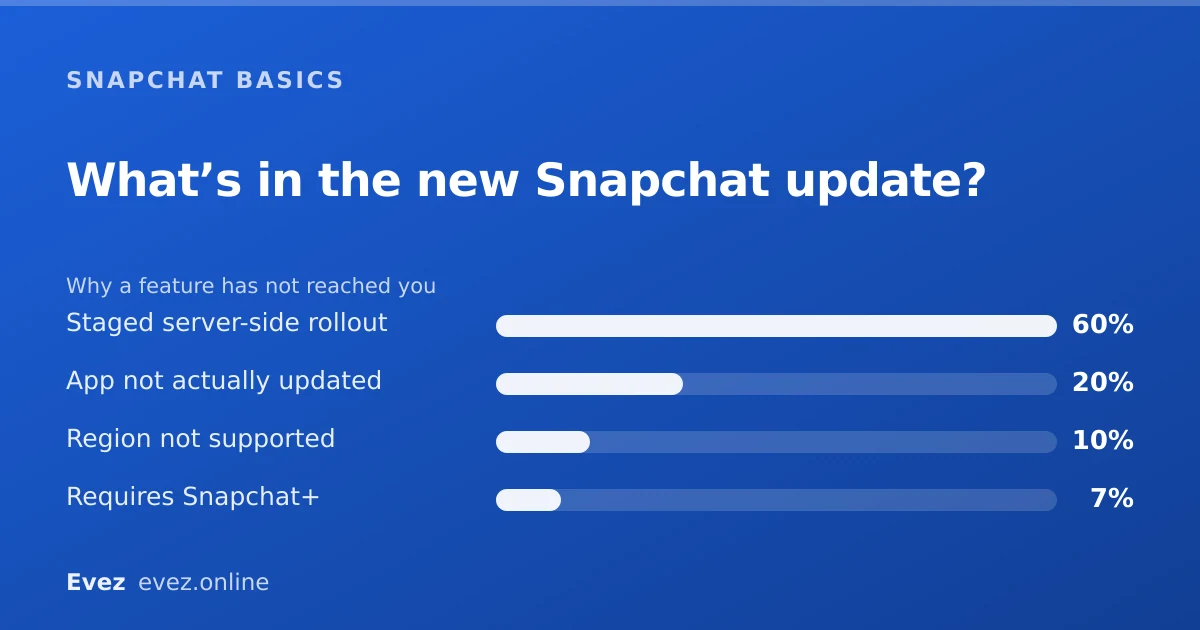
Check the App Store or Play Store listing: the What's New section carries the release notes. Your own version sits in Settings, right at the bottom under About. A missing feature is usually a staged rollout.
Key takeaways
- Release notes live in the App Store or Play Store listing, not inside Snapchat.
- Your installed version number is at the bottom of Settings → About.
- Features roll out server-side, so updating does not guarantee you get them.
- Two people on the identical version can genuinely see different screens.
On this page
Why this question is permanent
Any guide claiming to tell you what is in the new Snapchat update is out of date within weeks, and usually describes a rollout that reached a fraction of accounts anyway. This page takes the other approach: how to find out for yourself, which keeps working.
Finding your version number
Where it is hidden
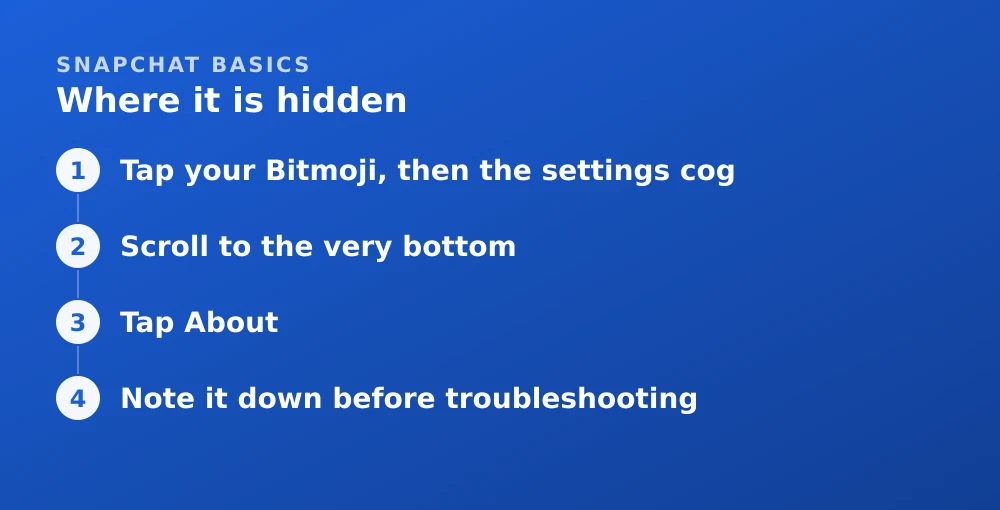
- Tap your Bitmoji, then the settings cogOpens the settings list.
- Scroll to the very bottomPast every section. About is one of the last items.
- Tap AboutThe version number is shown here, usually with a build number after it.
- Note it down before troubleshootingAny sensible answer to "why does my Snapchat look different" starts with this number.
Reading the actual release notes
| Source | How to reach it | How useful |
|---|---|---|
| App Store listing | Search Snapchat → scroll to Version History | Best — dated notes for every release |
| Play Store listing | Search Snapchat → What's New | Good, but often only the latest entry |
| Snapchat Support site | help.snapchat.com | Best for how a feature works, not for what changed |
| Snap Newsroom | newsroom.snap.com | Major announcements only |
| In the app | — | Snapchat does not show release notes in-app |
Updating, and checking whether you already are
- iPhone: App Store → tap your profile picture → scroll to the app list. Snapchat appears under Available Updates, or under Updated Recently if you are current.
- Android: Play Store → tap your profile picture → Manage apps & device → Updates available.
- Turn on automatic updates if you would rather not think about it. Snapchat ships frequently and old versions do eventually stop working.
- Do not install from anywhere else. Modified builds get accounts locked — see why third-party clients cause logouts and locks.
"Everyone has it except me"
This is the most common version of the question and it usually has a mundane answer. Work through these in order before concluding anything is broken.
- Confirm you are actually on the latest version using the steps above. Auto-update pauses more often than people realise.
- Wait. Staged rollouts routinely take two to three weeks to reach everyone.
- Restart the app fully. Feature flags are fetched at launch, so force-quitting and reopening sometimes pulls in a change immediately.
- Check whether it needs Snapchat+. A good deal of recent coverage describes subscription features without saying so.
- Clear the cache. Occasionally fixes a stuck interface. Safe, and it cannot delete anything — see what clearing cache does.
Changes that actually mattered recently
Two changes are worth knowing about regardless of which version you are on, because they alter something you may have been relying on for years.
- Memories storage. No longer unlimited and free; there is an allowance with paid tiers above it. If you have years of saved photos, this affects you — see is Snapchat deleting Memories.
- My AI. A chatbot pinned to the top of the chat list, with only partial controls on a free account — see turning off My AI.
If an update has broken something rather than merely changed it, the reporting routes are in contacting Snapchat support — the in-app bug report is genuinely read, unlike the general contact form.
Frequently asked questions
How do I see what's new in the latest Snapchat update?
Check the App Store or Play Store listing for Snapchat. On iOS, Version History gives dated release notes for every release. Snapchat does not show release notes inside the app.
How do I check my Snapchat version?
Tap your Bitmoji, open the settings cog, scroll to the very bottom and tap About. The version and build number are shown there.
Why doesn't my Snapchat have the new feature?
Almost always a staged rollout. Snapchat enables features server-side for slices of accounts over days or weeks, so updating the app does not guarantee you receive them. Some features are also region-limited or need Snapchat+.
Can I go back to an older version of Snapchat?
No. The app stores only offer the current version, and sideloading an older or modified build is a terms violation that results in the account being locked.
Sources
Every source below was checked and returned a valid response at the time of the last review. Each note says which claim in this guide it supports.
- What devices does Snapchat support? — Snapchat SupportSupports: That feature availability varies by device, OS version and app version.
- Snap Newsroom — Snap Inc.Supports: The official announcement channel listed among the sources for what has changed.
- My Snapchat account is locked — Snapchat SupportSupports: That installing modified or sideloaded builds results in account locks.
Related guides
Is Snapchat deleting Memories?
Snapchat introduced a storage limit on Memories with paid tiers above it. What that means for existing archives, and how to export everything first.
Memories and storage · Updated

How to turn off or remove My AI on Snapchat
Unpin My AI from your chat list, clear the conversation, delete the data it already holds, and understand what free accounts can and cannot remove.
Privacy and location · Updated
How to contact Snapchat support (and actually get a reply)
The working support routes ranked by response rate, what to include in a ticket, and the appeal path for a locked account.
Account management · Updated